Back To Basics Episode 7: Everything You Need To Know About Inductors


In the last episode, we talked about the capacitor—the component that stores energy in an electric field and hates it when voltage changes. Today, we meet its magnetic twin.

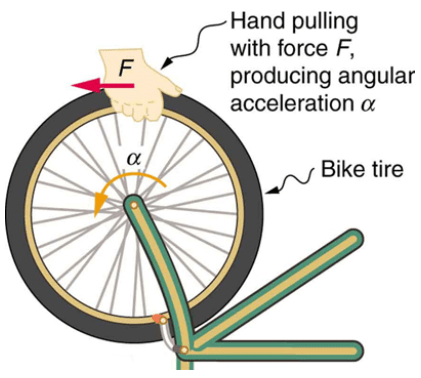
If I try to spin a wheel instantly, I cannot do it. Since the wheel has a mass, it has inertia and so it resists being moved. However, once it is finally spinning, if I try to stop it suddenly…. again, it fights me and prevents me from doing it.

In the world of electronics, we have a component that does exactly the same thing, but with the current. Like the capacitor tries to keep a constant voltage at its leads, the inductor tries to keep constant the current that flows through it with the help of a magnetic field.
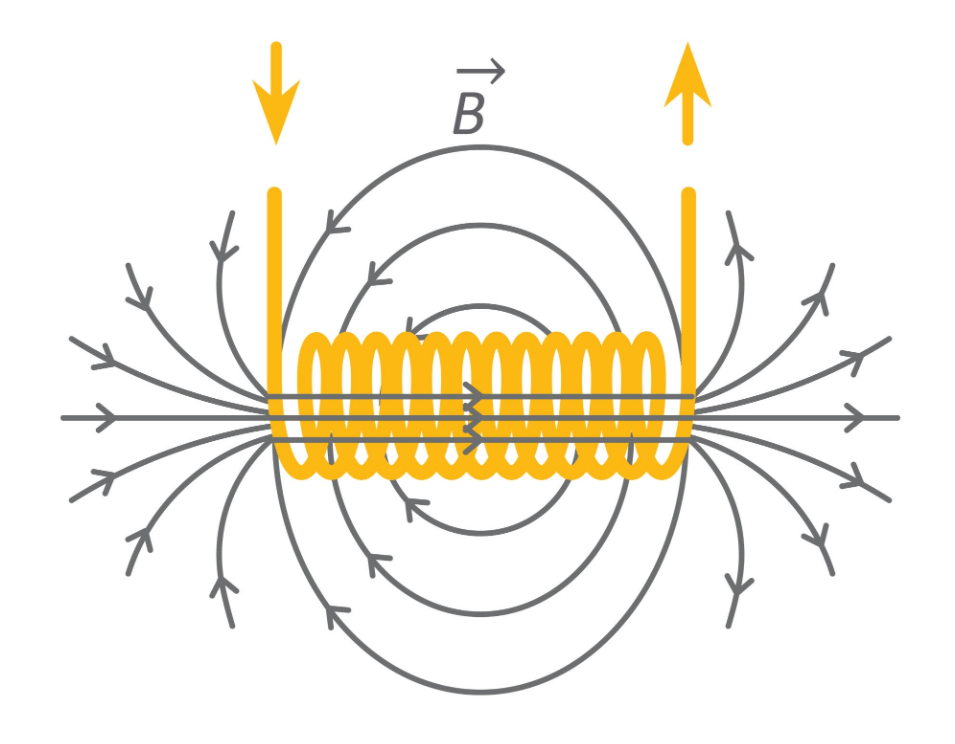

It is the most stubborn component in a circuit. It is basically the mass of a circuit. If current is not moving through the wire, it doesn’t want it to start. If current is already moving through the wire, it doesn’t want it to change, or even stop.


Today, we are going to look at the physics of the inductors, why they can be dangerous, and how they are used in real world applications.


Anatomy of an inductor


Physically, an inductor is the simplest component you’ll ever see. It is usually just a coil of wire. But don’t let the simplicity fool you.
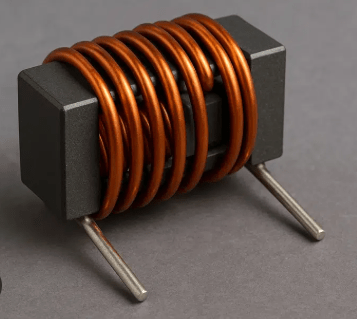

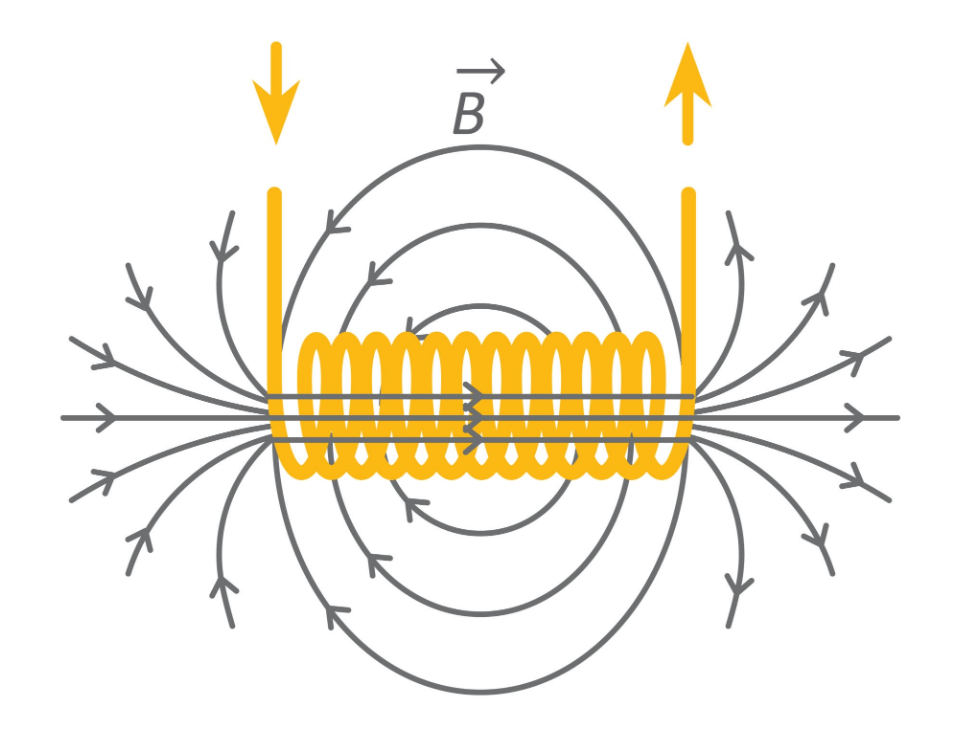
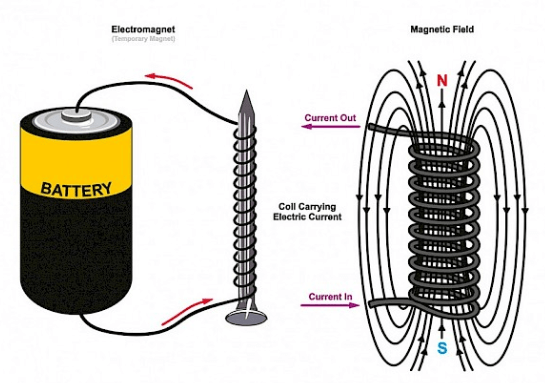
When current flows through a straight wire, it creates a small magnetic field around it. But when we wind that wire into a coil, a shape that we call solenoid, those individual fields stack up and reinforce each other.
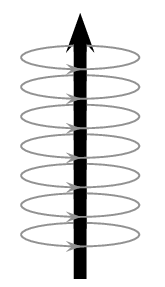
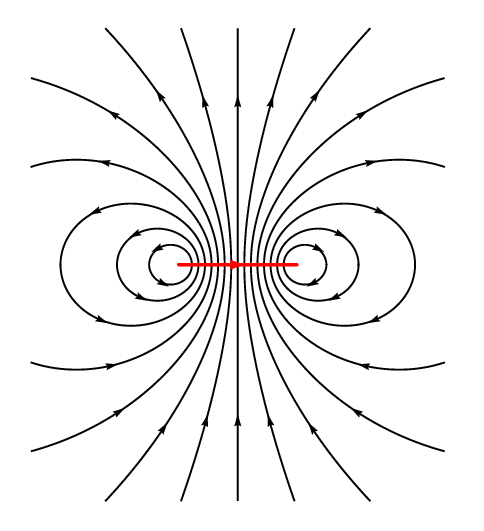
This creates a concentrated magnetic field through the center of the coil. And this is where the energy lives. While capacitors store energy in an electric field between plates, inductors store it in a magnetic field within the coil.
Additionally, what’s inside the coil matters just as much as the wire itself. We call the inside of the coil “core”.

If the core is made out of air, the strength of the field is low, and such inductors are normally used for high frequency circuits.
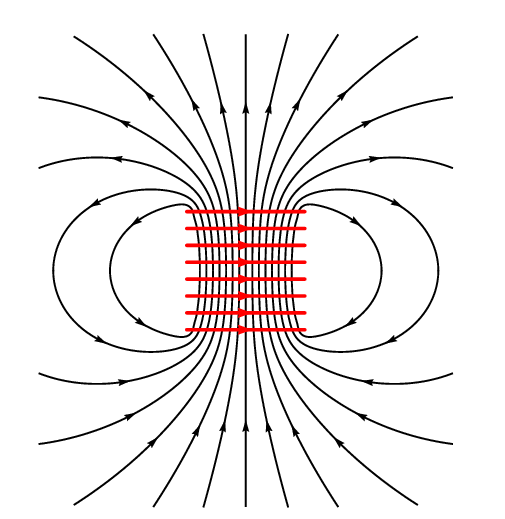

If the core is made of iron or similar ferromagnetic material, it will channel the magnetic flux and will intensify it, making the inductor capable of storing a much greater amount of energy.
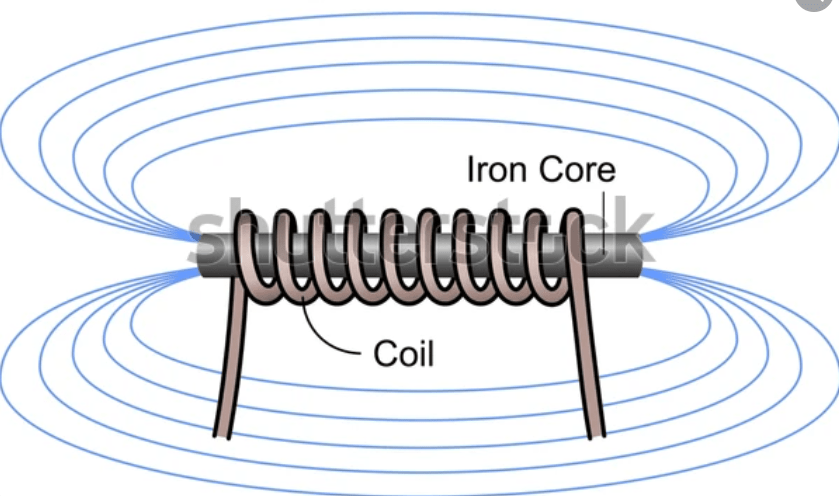

If the core is made of ferrite, which is a ceramic like material containing usually silicon and iron, then the inductor acquires a much faster capability of switching from on to off and viceversa without the energy loss that we would get with solid iron.

The ability of the coil to store energy in a magnetic field is called inductance, and it is measured in Henry, named after Joseph Henry, who discovered this property around the same time as Michael Faraday. The measure Henry is indicated with the capitol letter H.


How the inductor works


So, why the inductor resists to current changes? It comes down to a fundamental rule of physics called Lenz’s law.


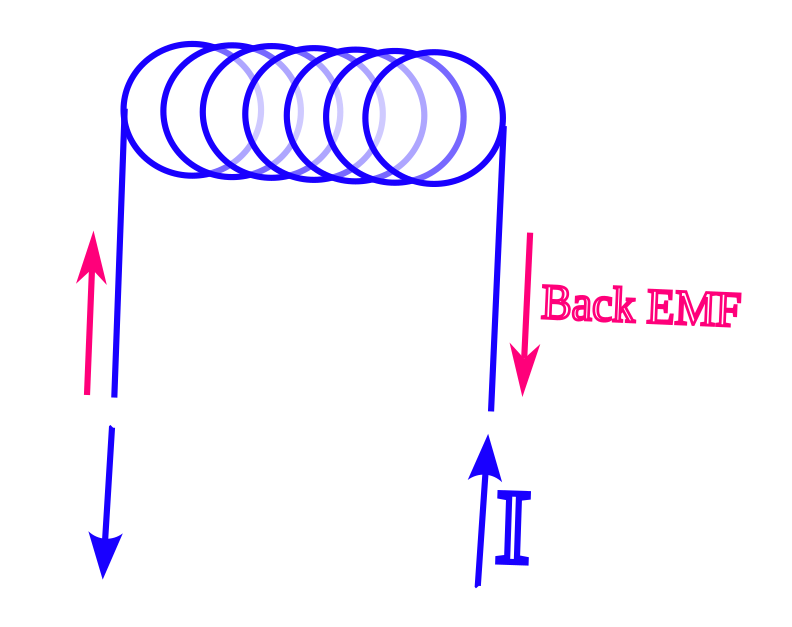
When we try to increase the current through an inductor, the magnetic field has to expand. But the expansion actually pushes back against the incoming current. We call this Back EMF, or Back Electromotive force. It’s basically like trying to push a heavy car: it takes a lot of effort just to get it rolling.

Let’s look at the math, but don’t let that scare you. It is just a way to describe the stubbornness of the inductor.

The voltage V across an inductor is defined by
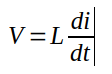
where L is the inductance and di/dt is simply the speed at which the current is changing.
Here is the magic: when we try to push current through, the magnetic field expands. According to Lenz’s law nature hates a change in magnetic flux. And so, the expanding field creates its own internal voltage, the back emf, that pushes back against the battery. It is literally an internal “ghost battery” fighting the actual battery.


Inductor behavior in DC vs. AC


Now, because inductors react to change, they behave totally differently depending on the type of electricity we feed them.


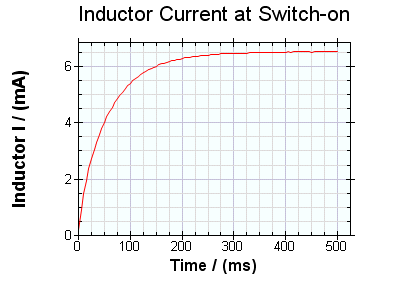
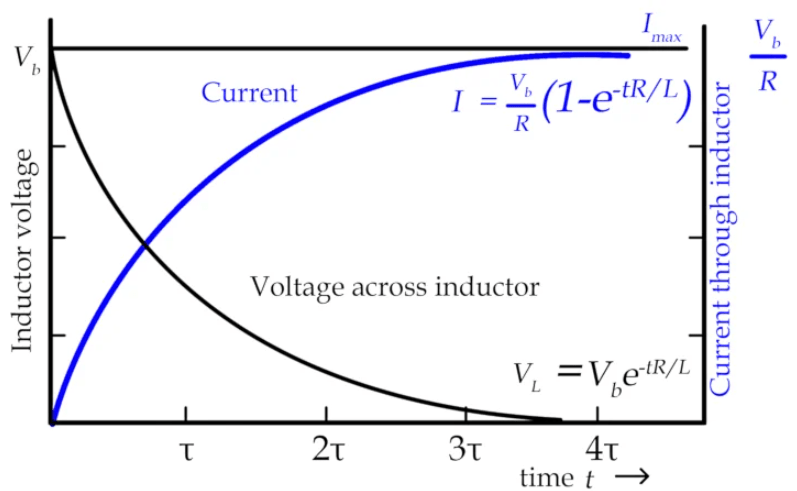
In a DC circuit, when we first flip the switch, the inductor fights the current. It acts like a wall, an open circuit. But, once the current is flowing steadily, the inductor gives up, it becomes just a regular piece of wire.
In an AC circuit, the current constantly changes direction. This means that the inductor is constantly fighting. We call this “fighting” Inductive Reactance. The higher the frequency of the AC, the harder the inductor fights it.
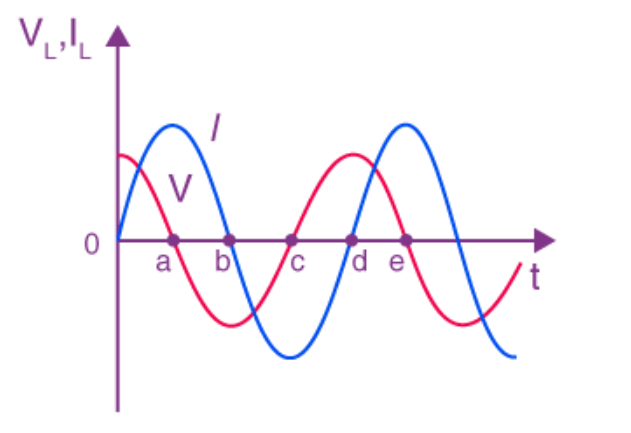

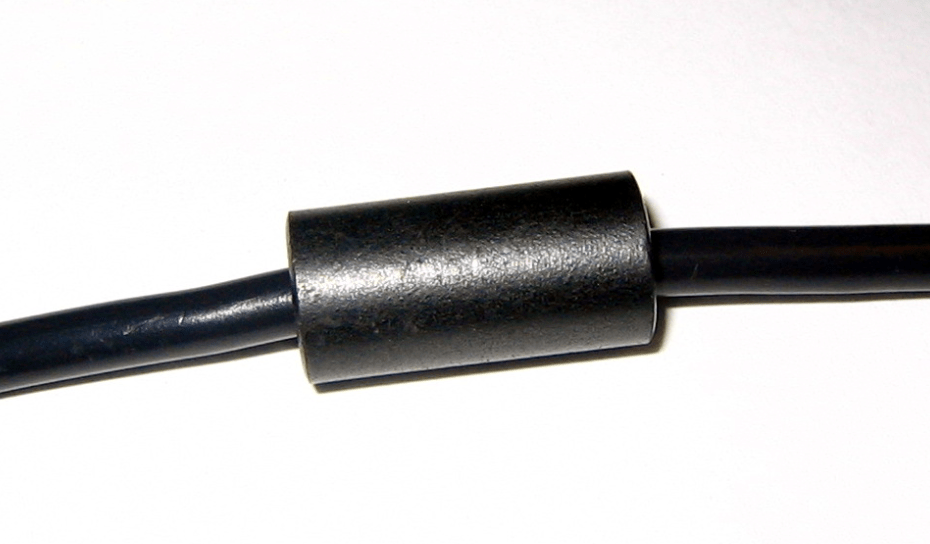
This makes them perfect for filtering out high frequency noise. They let the slow, steady power through, but block the high frequency noise. This is why you see those lumps on the laptop charging cables. They are actually inductors blocking the high frequency interference.

Real world applications

So, where do we actually use these things? Here are a few examples.


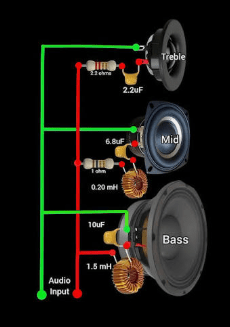
Filters: in the audio speakers inductors are used in crossovers to block high frequency sounds from reaching the woofer, ensuring it emits only those deep, clean, bass notes.

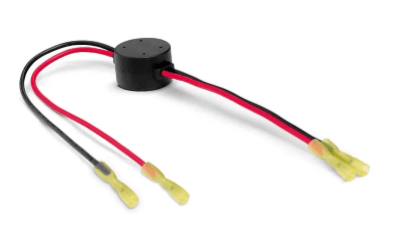
Chokes: used in power supplies to smooth out ripples in the current.

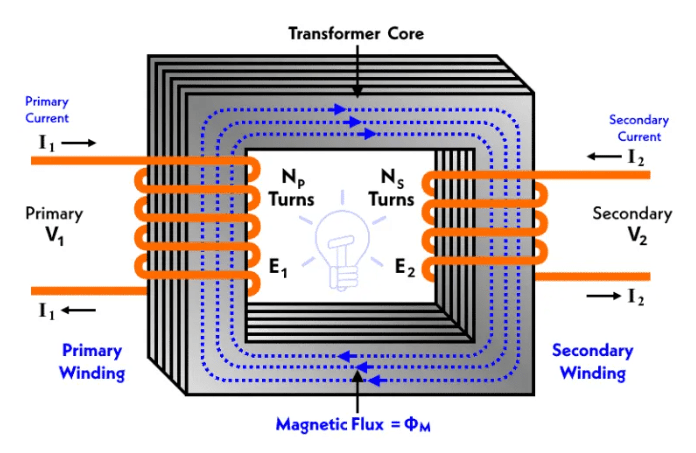
Transformers: if we put two inductors next to each other, the magnetic field of one can induce an EMF in the other. And that’s how they step power up or down for the electric distribution grid.

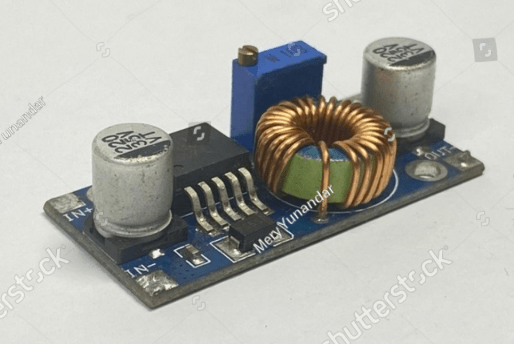
Buck converters: they are made with small transformers working at high frequencies.

Electromagnets: simple coils, usually winded around a ferromagnetic core, that becomes real strong magnets when we make a current flow through their wires. They are used all over the places. And they are especially common inside electric motors, like the ones that power many kitchen appliances.

Sensors: have you ever seen those loop of wires buried under the asphalt at traffic lights? Those are inductors. When a car sits over them, it changes the inductance, telling the traffic lights circuitry that a car is there waiting for its turn to pass.


The inductive kickback


A word of warning now. Because an inductor wants to keep a constant amount of current, it can be dangerous at times.


If you have current flowing through a coil and you suddenly pull the plug, the magnetic field inside the coil collapses. But the energy in that magnetic field needs to go somewhere. What happens is that the inductor will convert that energy in a voltage spike with the polarity oriented in such a way that it will try to keep the current flow without a change.
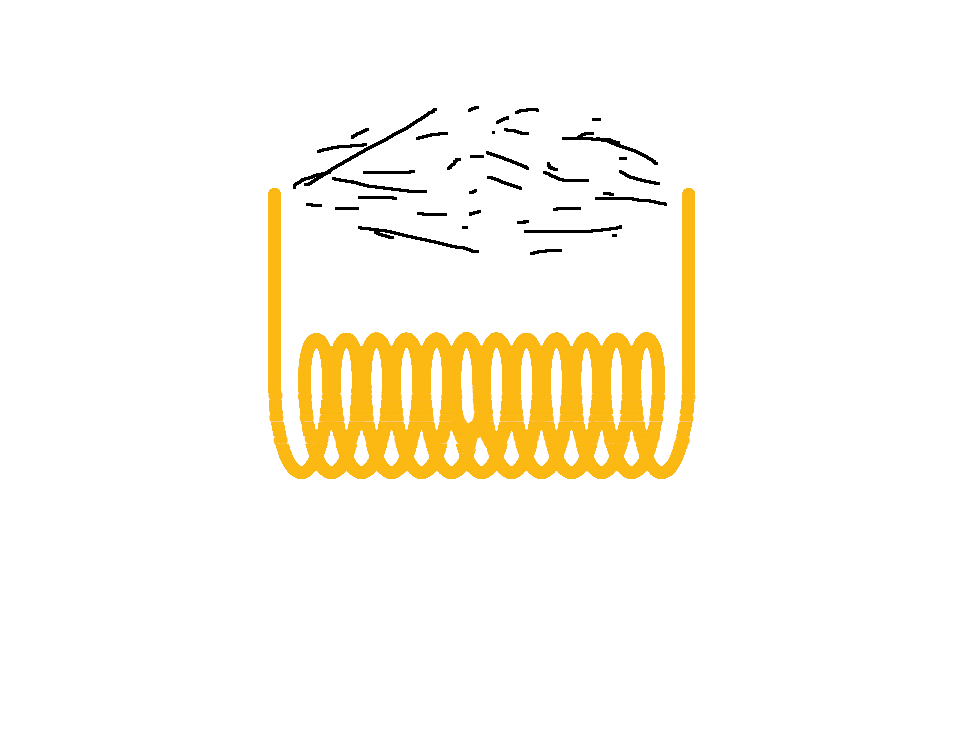

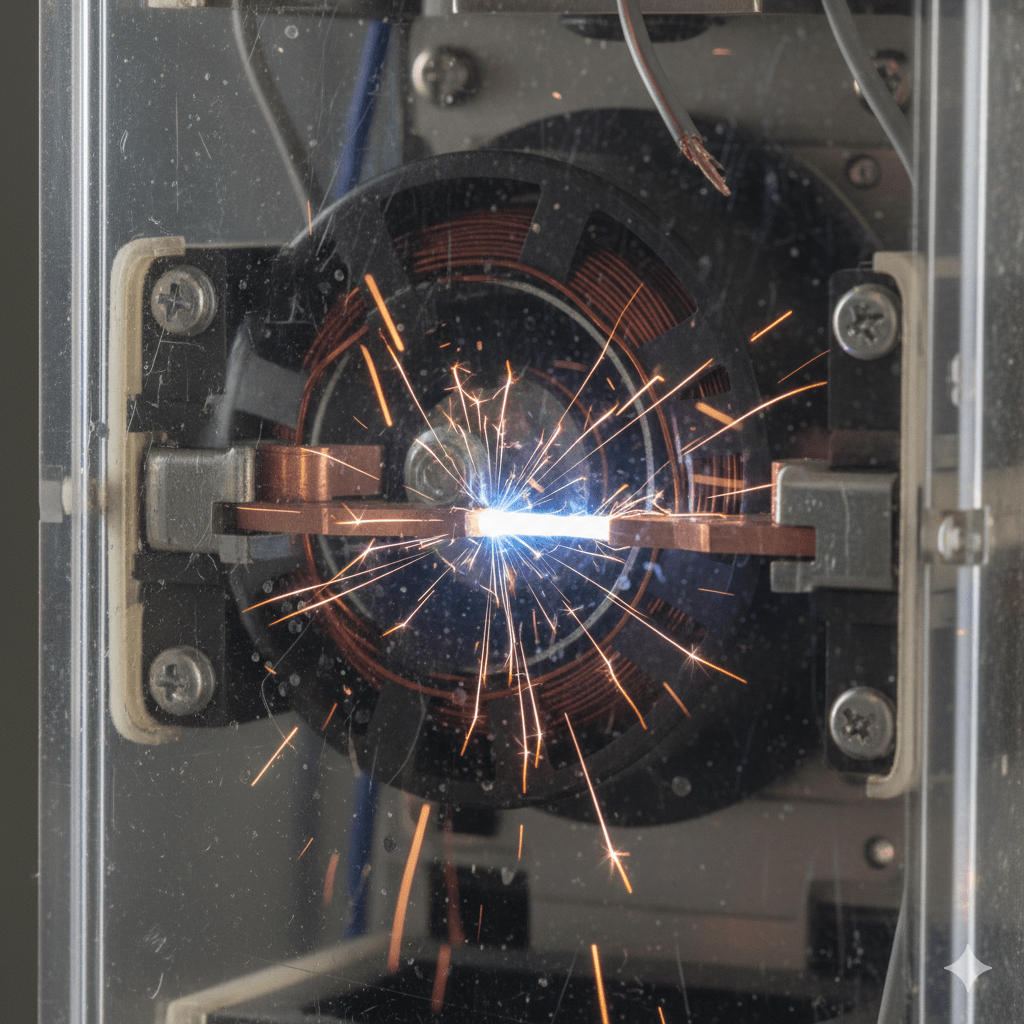
Have you ever seen a spark when you suddenly disconnect a wire from a circuit where current was flowing through it? That spark is caused by this inductive kickback produced by the inductance in the circuit. When you open the circuit, the inductor will generate a voltage high enough to make the current go through the air around the disconnected wires, thus the spark.

In electronic circuits, the inductive kickback may damage the semiconductors in the circuit. In such a case, we use a diode, in parallel with the inductor, oriented in such a way that it will behave like a short circuit toward the back EMF of the kickback, and it will behave like an open circuit during normal operations.

Here is an example: a transistor controlling the coil of a relay. The diode in parallel to the coil will short the kickback which, otherwise, would destroy the transistor.
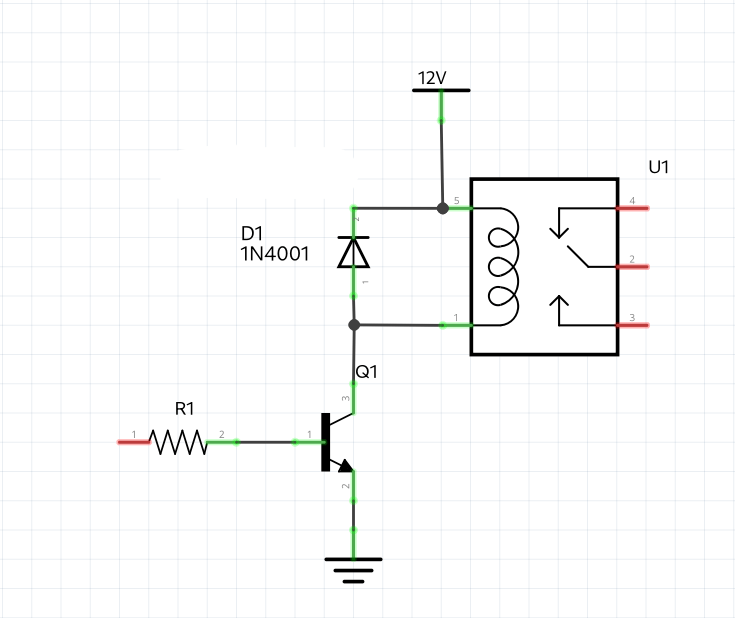
A diode connected like that is called flyback diode, because it will make the kickback fly away.


Inductor identification


Now that we know how inductors work, we need to know how to identify them on a circuit board. Unfortunately, this is trickier than it sounds, because inductors are masters of disguise.


Let’s start with the physical shape, and there are several of them.


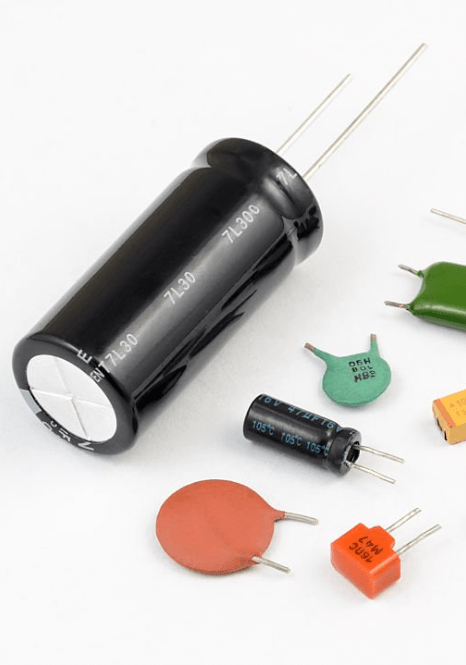
The first kind of shape is the axial inductor: these look exactly like resistors. They are small, usually green of cyan, and have color bands.
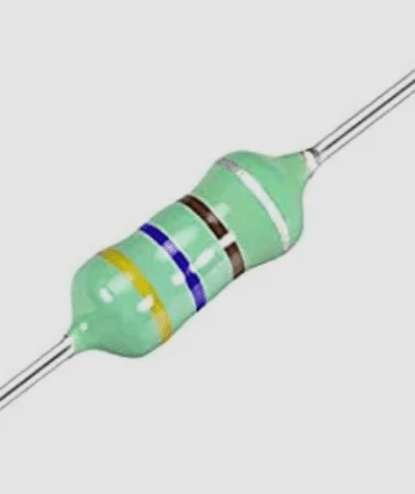
A pro-tip for you. If the body looks like a sea-foam green, then it is most always an inductor. If it is tan or blue, it is likely a resistor.


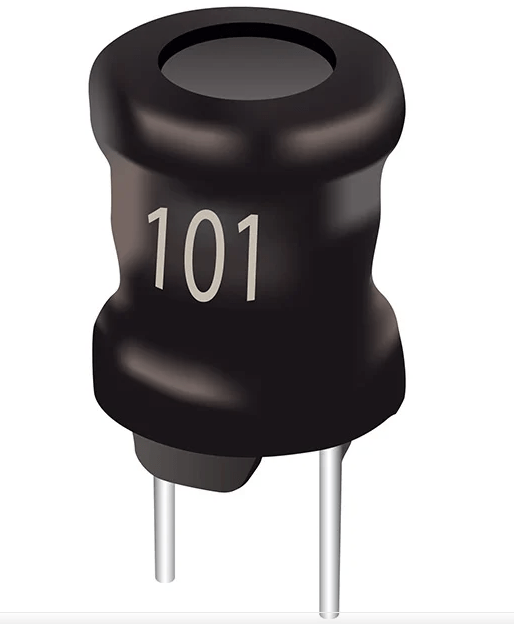
The second inductor shape is the drum or radial inductor. These look like little black mushrooms or weights. You’ll see the copper wire wrapped around a ferrite core, often covered in clear or black shrink wrap.

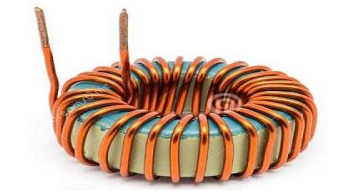
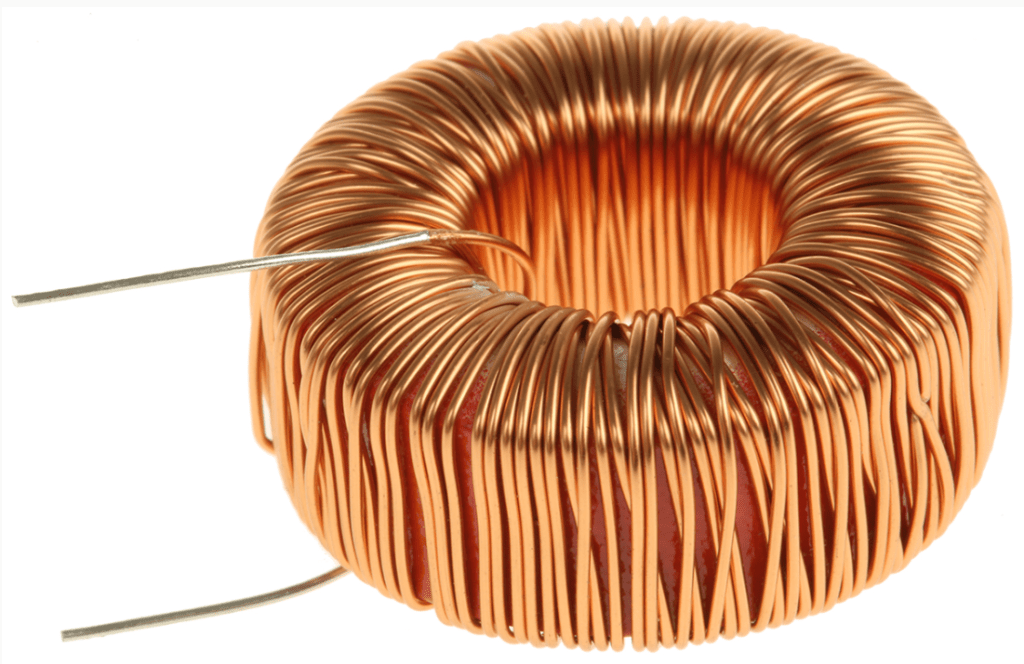
The next shape is the toroid. These are like small donuts. They look like a ring wrapped with wire. In this category we find usually high performance inductors used in power supplies.

Last category I would like to talk about is the one of the SMD inductors. On modern boards, these look like tiny gray or black ceramic rectangles. Unlike resistors, they are usually taller, since they need space for winding the coil.
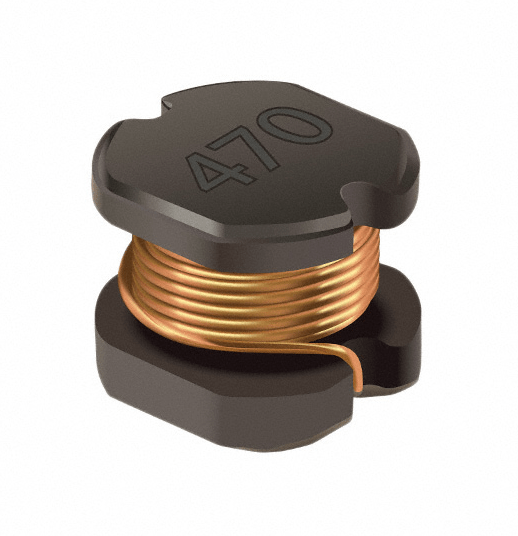

Now, how do we figure out their inductance value? Well, just like resistors, inductors use a code system. Their base unit for these codes is almost always the microhenry.

Let’s start with the color code, used for axial inductors. It’s the same colors used for resistors: black for 0, brown for 1, red for 2, and so forth.

Inductors can have 3, 4, or 5 bands, like resistors, and they are read exactly the same way as the resistors.
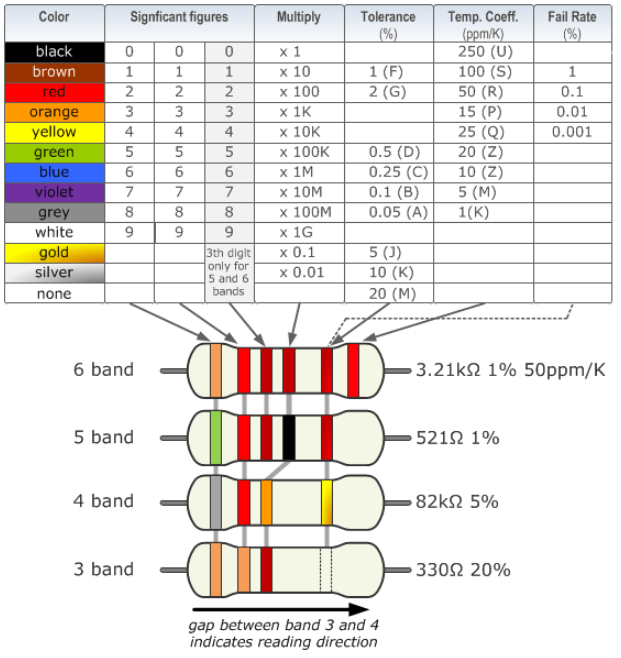

For example, the axial inductor from above has yellow, blue, black, and silver, which means 46 microhenry, and a tolerance of 10%.

Let’s now talk about the numerical code, present on the SMD and drum inductors. You might see a 3 digit number, like in the above drum indicor which shows on its case 101. The first two digits are the value, the third is the number of zeros after the first two digits.

This means that 101 translates to 10 + one zero, which means 100 microhenry.


Like with resistors and capacitors, if in doubt, don’t guess, measure the value. The problem is that multimeters usually do not have a mean to measure inductors. You can still test the resistance which, for good inductors, should be almost zero, since it is just a coil of wire.
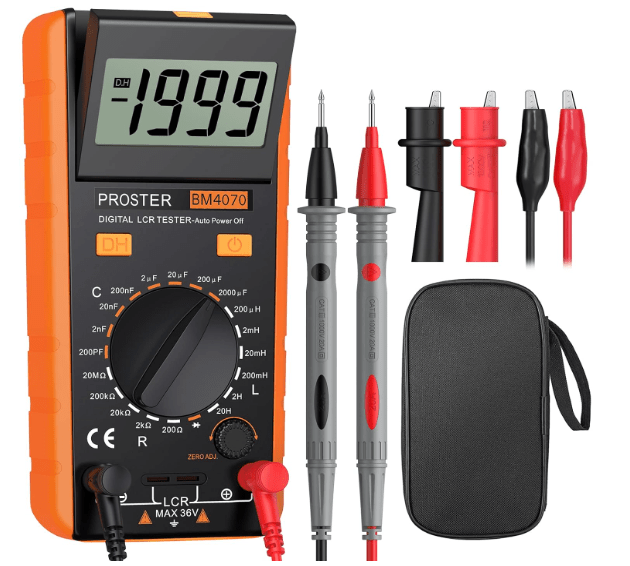
If you want to really measure the value, you’ll have to acquire an instrument called LCR meter, which is a high specialized instrument that take only measurements of inductors, the letter L, capacitors, the letter C, and resistors, the letter R.

The essential starter kit


Now, if you want to start using inductors in your experiments, you don’t need to buy every inductor on the market. Inductors are expensive and bulky compared to resistors, so you want to be strategic. Here is my “starter kit” recommendation for any hobbyist lab.


Begin with a must-have assortment. Don’t start buying individual values. Go to Amazon or eBay and look for an Axial Inductor Assortment Kit.
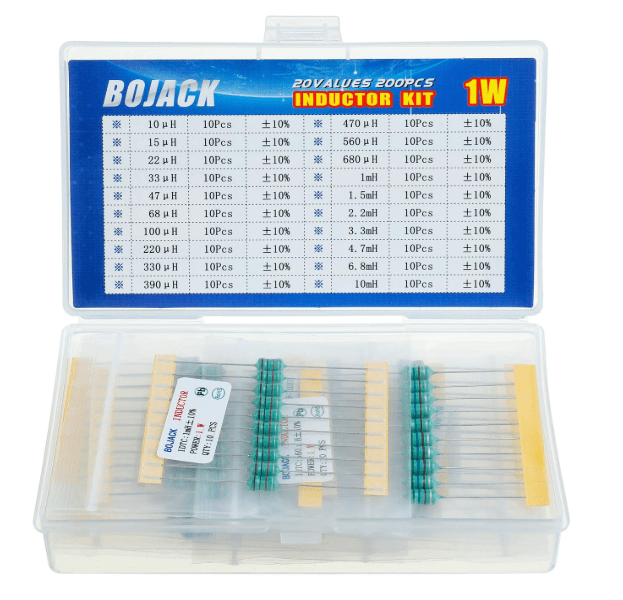
You’ll get usually 200 or 300 pieces in a small plastic box, with a bunch of different values.

They look like resistors, and fit perfectly into breadboards. The values usually range from 1 micro henry to 10 milli henry, and this covers about 90% of basic hobbyist filtering needs.


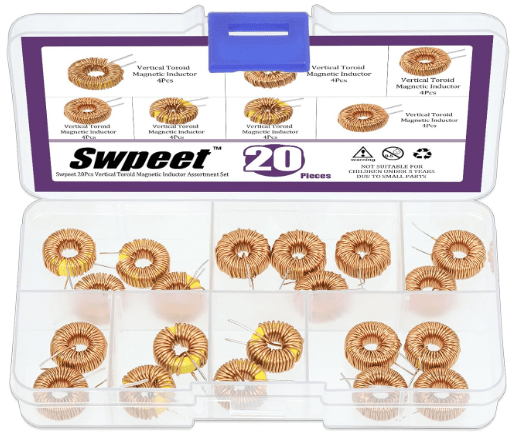
If you plan on building your own power regulators or buck converters, you will need toroidal inductors. Go with values like 10uH, 47uH, and 100uH to start with. Look for high current ratings, at least 2 or 3 amps. Power inductors are rated by how much heat they can handle before start having problems.

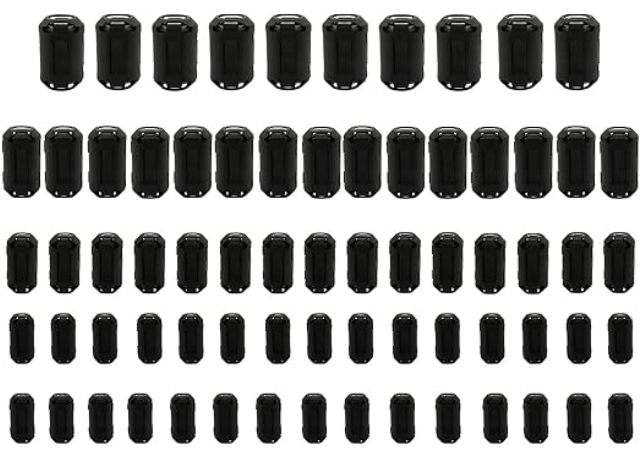
For noise management, you may also want to acquire a few ferrite bids. There aren’t technically coils, but they are essential. They are basically small cylinders of ferromagnetic material. You slide them over wires to choke out high frequency interference. If your project has a buzzing sound in the speakers or a flickering screen, a ferrite bead is often the cure.

Finally, if you are serious about inductors, a standard multimeter won’t cut it. Most cheap multimeters can’t measure inductance.
In such case, I recommend to pick up a cheap TC-1 Multi function tester, which you can find for about $20, and you can just plug an unknown inductor in, and it will tell you the value and the internal resistance instantly.


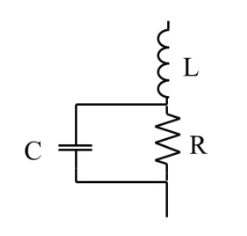
Better yet, buy a LCR meter, which will allow you to make precise inductance measurements, as well as capacitances and resistances. Some devices can even provide you with a full model for the component you are testing, giving you both its resistance, the series inductance, and the parallel capacitance, which is useful should you decide to work with high frequencies.

Conclusion

To summarize what we said so far:

inductors are everywhere. They are in your phone’s wireless charger, the crossover in your high end speakers, the massive transformers on your street corner, and so forth.

  • They store energy in a magnetic field.
  • They resist changes in current.
  • They are the high frequency blockers of the electronics world.

In our future videos of this series, we are going to continue our journey in the world of electronics, showing new types of components, and how to use them, as well as moving the first steps in designing you own circuits.
If you find this deep dive helpful, like it and subscribe.

I’ll see you in the next episode and, in the mean time…

Happy experiments!

Companion YouTube video:

Back To Basics Episode 4: Let’s Talk About Resistors

Hi there! Welcome to the fourth episode of Back To Basics, where we explore everything electronics from the beginning.

It is time to start learning about components, and what’s better than beginning with the ubiquitous resistor, a component present in each and every electronic circuit.

We will cover some theory, the math, and the major kind of resistors available on the market. All with a very simple approach that will help you understand what resistors are for, and which one to choose for your own projects and experiments.

Controlling The Flow


Before we get to the components, let’s look at the three ways materials behave electrically.

There are three fundamental kind of materials:

  • conductors,
  • insulators, and
  • resistors

Conductors allow current to flow very easily, like for example in copper wires. They have a high conductivity, which translates in a very low resistance.

Insulators are the opposite of conductors. They block the current flow, like for example with rubber or plastic. They have a very low conductivity, which translates in a very high resistance.

In between these two categories we have the resistors, which are capable of controlling the current flow. They lay in between the conductors and the insulators in terms of conductivity, having very specific values of resistance.

You can view resistance like a water pipe. Conductors are very large water pipes, which offer minimal resistance to the flow of water, here representing the electric current.

Insulators are totally clogged pipes, where the flow of water is totally stopped.

And finally the resistors, which are like water pipe of a specific section, so that they limit the flow of water to specified amounts.

The Fundamental Rule: Ohm’s Law


The math that governs the current flow through a resistor is called Ohm’s Law, and it is the most important concept in electronics.


Here is the formula:

V = I R

where:

V is the voltage, or the entity that forces the current to flow, which is measured in Volt; I is the current, or the flow rate of the charges, which is measured in Ampere; R is the value of the resistance, or the entity that opposes to the flow of current, which is measured in Ohm.

Resistor Calculations: Series And Parallel

Most of the time we need to create circuits with multiple resistances, connected in various ways. Two most common ways of connecting components are the series connection and the parallel connection.In both case, resistors can be replaced with an equivalent resistance.


Here is an example of two resistors, R1 and R2, connected in series. When resistors are connected this way, there is only one path for the current and the equivalent resistance R3 is just the sum of the resistances in series.


And here is an example of two resistors connected in parallel. In such cases, the current splits into multiple paths when it enters the parallel, and it regroups when it leaves the parallel. The equivalent resistance is the reciprocal of the sum of the individual reciprocal resistances.

Note the simplified formula on the right, only valid in the case of only two resistances in parallel.


You can see that when resistors are in series, the total resistance increases, while when the resistors are in parallel, the total resistance is smaller that the smaller resistor in the parallel connection.

Practical Example

Let’s put this information into practice.

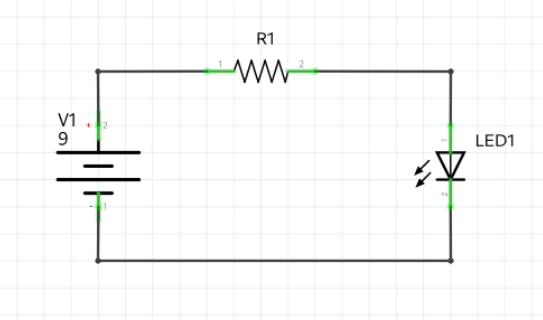
Let’s say we have a 9V battery, a resistor, and a LED. Knowing that the current that must flow through the LED is 20mA, and that the voltage at the LED is 2V, what’s value of resistor we have to put in series to the LED to limit the current to the 20mA value?

Since the three components are all in series, the current will be the same through all of them. Since we want a 20mA current through the LED, then also the resistor will be traversed by a current of 20mA. Additionally, the volt at the resistor is given by the difference between the voltage value on the left and the one on the right. The voltage on the left is the battery voltage. The voltage on the right is the voltage required by LED, which is 2V.

Using Ohm’s law, we can therefore write:


So, in practice, if we want to power an LED using a voltage source of 9V, we need to put a resistor in series with a value of 350 Ohm.

Physical Components: Types Of Resistors


Let’s now take a look at the kind of resistors we can find on the market and how they are made.

We have two main categories based on the physical aspect of the resistors:

  • through hole resistors, or THT resistors, usually in the shape of a cylinder with two wires coming out of them, and
  • surface mounted resistors, or SMT (or SMD) resistors, usually in a cubic and small shape.


We can also categorize resistors as fixed or variable. All fixed resistors can be either THT of SMD resistors. The variable resistors can be mechanically variable, thermally variable, or electromagnetically variable.


A typical example of mechanically variable resistors are the potentiometers, which usually have three terminals, the usual two at their two ends, and a third one, connected to a sliding connector touching the resistive material between the two ends. Measuring between one of the two end terminals and the slider, we can obtain all the resistance values between zero and the nominal value of the potentiometer.


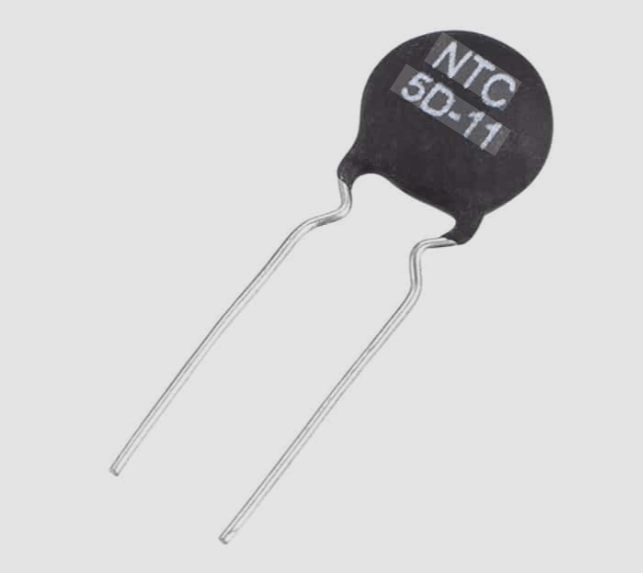
Thermally variable resistors are usually called thermistors. They have two leads, and their resistance value changes with the temperature.


An example of electromagnetically variable resistor is the photo-resistor, a resistor that changes its resistance with the intensity of the light.


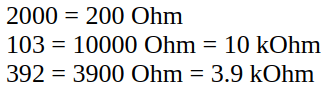
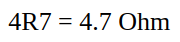
The resistance value of resistors can be imprinted on the resistor itself in two different ways, depending on the kind of resistor. It can be just printed using only numbers, the last of which always represents the number of zeros following the other numbers. Or it can be printed using numbers and the letter R, which represents the decimal point. Or it can be imprinted in the form of colored bands.


Here are a few of examples of number representations:


And here is an example with numbers with a decimal point:

When using colors, instead, we can have from a minimum of 3 bands, to a maximum of 6.

Here is the decoding chart to interpret the resistance value, the tolerance and, eventually, other information. You can find similar charts with a simple google search.


One last classification of resistors is based on the material used to make them. We can have:

  • carbon film resistors, made depositing a thin layer of carbon, usually graphite, on a ceramic or paper substrate
  • metal film resistors, made of a thin layer of metal deposited on a cylindrical support


The final, but not the least important, specification about resistors is their power dissipation capability or power rating. The power rating depends on the type of material they are made and the type of material of their support, as well as their size and the presence of a aluminum heat sink. the numbers can vary from 1/8W, going to 1/4W, 1/2W, 1W, and so forth, up to the hundreds of Watt.


When calculating the value of a resistor, never forget to calculate also the power it will need to dissipate, and always choose a resistor that can dissipate at least that amount of power.

For example, let’s get back to our example of resistor limiting the current in a LED. To calculate the power dissipation, we can use either one of these formulas:


n our example, we know the value of the resistor and the current that flows through it, so we can write:


Therefore we can use a resistor capable of dissipating 1/8W, equal to 0.25W, since its rating is greater than the actual dissipated power.


Don’t forget: always use a resistor with a rating higher than the calculated power, or the component may burn or even explode.

Conclusion


Well, now you know the theory behind resistance, how to use Ohm’s Law, how to calculate series and parallel equivalents, and how to physically identify the component you need.


In the next episode, we will dive deeper into the Kirchhoff’s Laws, which build on top of everything we covered today.

Happy experiments!!!

By the way: here is the link to the corresponding YouTube video, which you may want to watch for completeness:

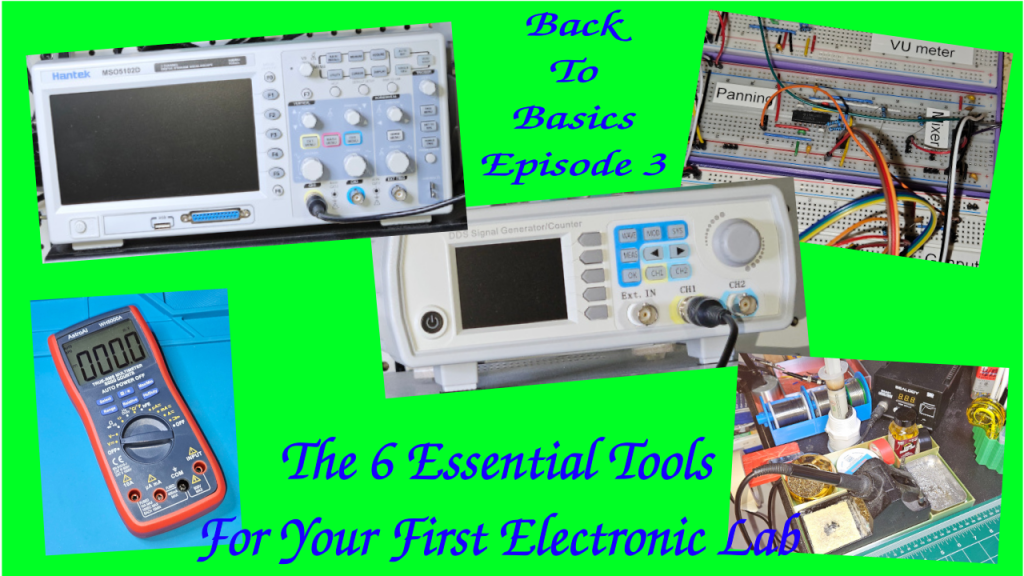
Back To Basics Episode 3: The 6 Essential Tools For Your First Electronic Lab

Hi there, welcome back to the “Back to Basics” series.

So you’ve decided to dive into electronics. You’re watching tutorials, you’re looking at schematics, but then you hit the wall: what tools do I actually need, and where do I start without spending a fortune? That’s the biggest barrier for everyone.

Today, we’re building your first electronics workbench. We’re going to break down the six most essential pieces of gear—from the absolute must-haves to the powerful diagnostic equipment you’ll eventually crave.

I’m structuring this into three simple tiers, to make it progressive.

Tier 1: The Must-Haves, which are the stuff you need on Day 1 to even build a circuit.

Tier 2: The Essential Builder Stuff or how to make your project permanent.

Tier 3: The Diagnostic Duo or how to troubleshoot and see signals you can’t see with your eyes. That’s for when you need to actually see the electricity doing its thing.

Let’s start building!


Tier 1 – The Absolute Must Have: The Prototyping Pair

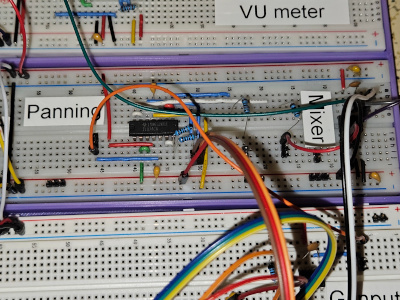
Let’s dive into tier one. The prototyping pair. First up, the breadboard, your best friend for starting out. It’s basically a temporary solder-less lab.

It will let you try things out, make mistakes, swap components. Basically: super fast iteration.

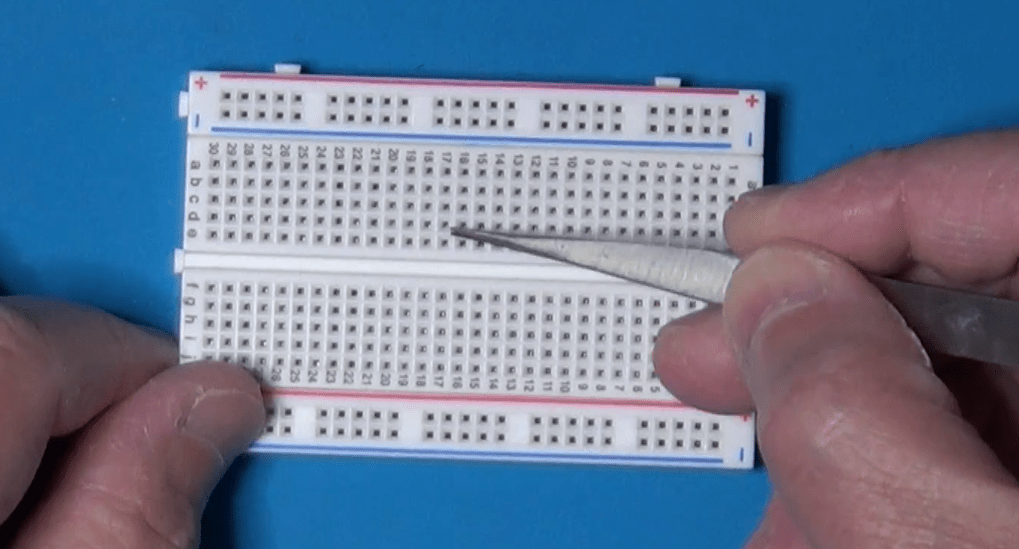
The key thing to get, though, is how it’s wired internally. Those middle columns, they connect vertically. Little strips of metal inside. You plug your component legs into different rows in the same column, and they’re connected.

Those long strips on the sides, the power rails, run horizontally all the way from left to right. Knowing that difference saves hours of confusion. So vertical columns for components in the middle, horizontal rows for power on the sides. Simple when you know it.

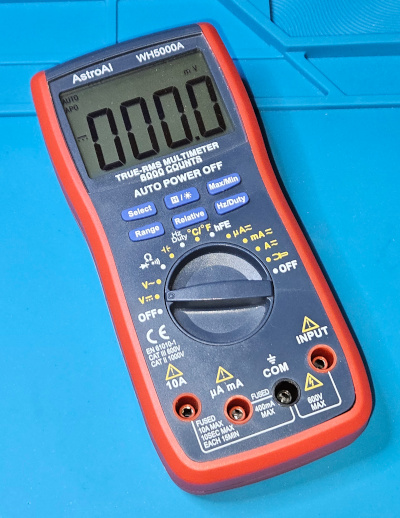
Once you’ve built something, you need to check if it actually works or why it doesn’t. Which brings us to the second must-have in Tier 1, the digital multimeter, or DMM. The Swiss Army Knife. You just can’t debug what you can’t measure. It’s fundamental. Safety, too. Measures voltage, current, resistance, the basics.


Tier 2 – The Essential Builder: Permanent Connections

Let’s now move on to Tier 2, the essential builder.

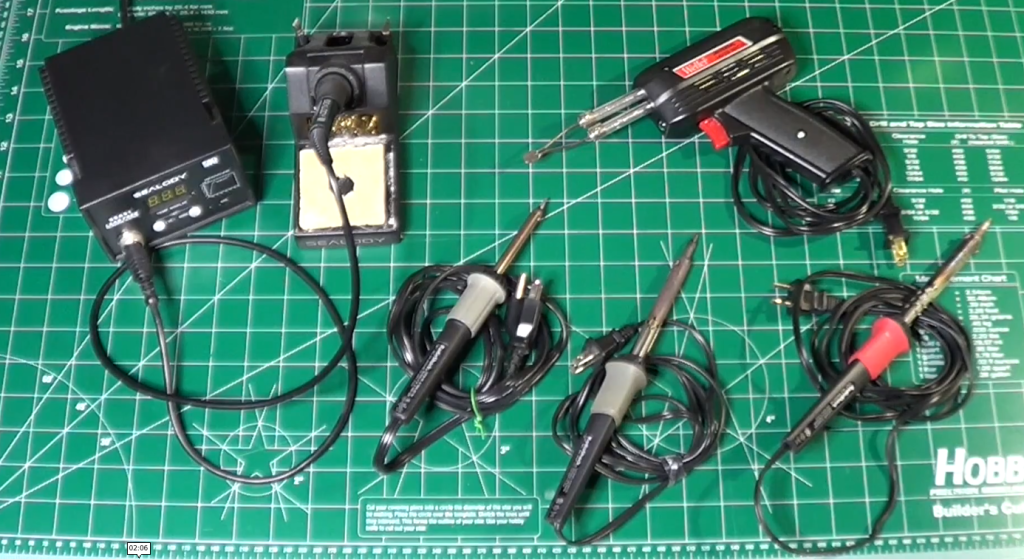
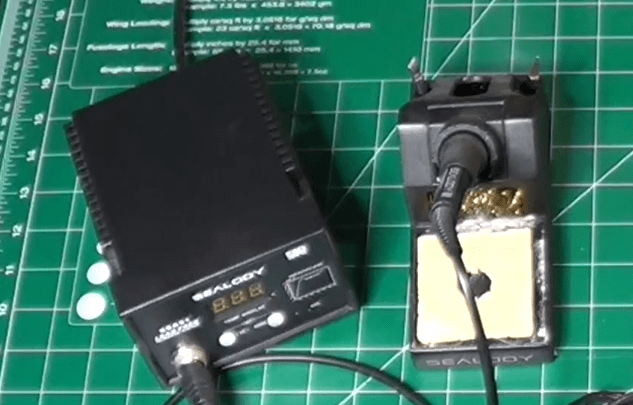
So your breadboard circuit works perfectly. Awesome. But now you want to make it permanent. Put it on a proper PCB or maybe a perf board. And that means soldering. You need a soldering iron and you need solder. This is where things get hands on. But what iron to use? There’s so many types.

The key thing is temperature control. You need to be able to set the right temperature for your soldering components. Too cold, and you obtain bad joints. Too hot, and you damage the components.

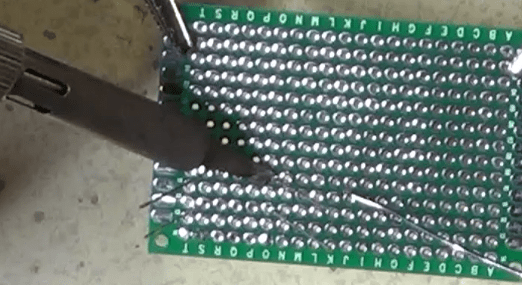
And then you need the proper technique. This is where people often mess up, big time. The absolute number one rule is: melt the solder with the components to attach together, not with the solder tip. You touch the hot iron tip to both the component leg and the copper pad on the board at the same time. You hold it there for a couple of seconds, just long enough for them both to get hot. Then you touch the solder wire to the joint, not to the iron tip. And the heat from the pad and the leg melts the solder, making it flow nicely around them. You’re aiming for that classic shiny volcano shape, a little cone. Not a dull blob. Definitely not a dull blob. Dull or lumpy means a cold joint, which will probably fail later.

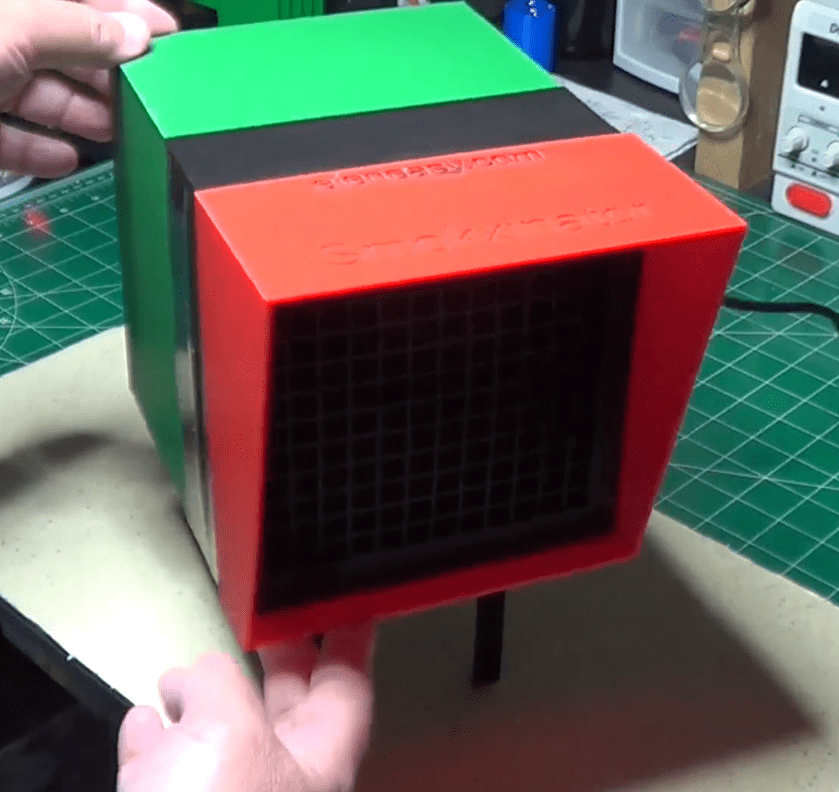
Also, always use a fan or work in a well-ventilated area. Those fumes aren’t good for you.


Tier 3 – The Diagnostic Duo: Seeing The Unseen

Now tier three, the diagnostic duo. This sounds more serious. Well, it is, in a way. This is for when you move beyond simple DC circuits into things that change over time, like audio signals or digital clocks.

First in the list is the function generator, or the signal injector. Its job is basically to create predictable electrical signals.

Known, clean waveforms, usually sine waves for analog stuff, square waves for digital, maybe triangle waves for ramps. Why is that necessary? Can’t you just use the signal from, say, the phone’s headphone jack? You could, but is that signal perfectly clean? Does it have noise? Is its amplitude exactly what you think? A function generator gives you a reliable, known-good input. So you’re eliminating unknown variables.

If you test a filter circuit with a perfect sine wave from the generator and the output looks wrong… Then you know the problem is in your circuit, not just some garbage coming in. It’s about controlled testing.

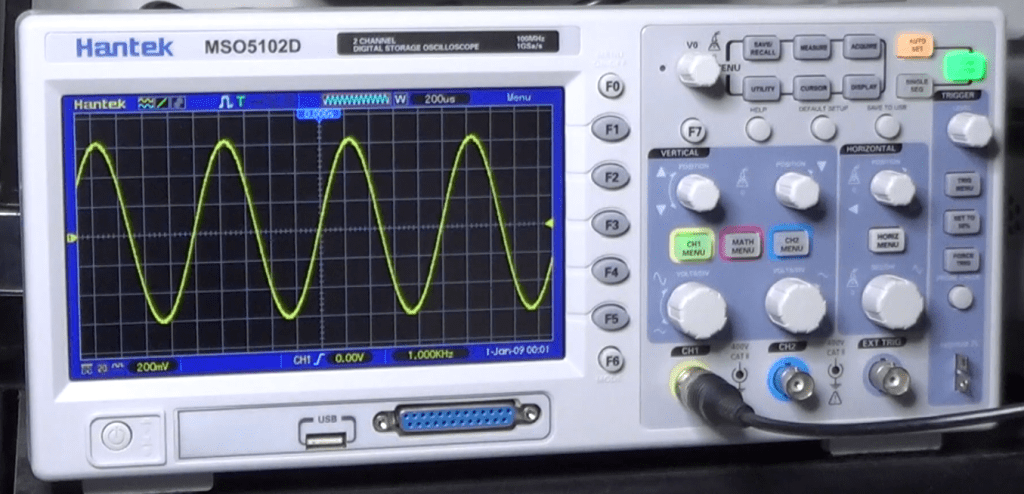
And now the function generator partner, the oscilloscope. The big gun. This is arguably the most powerful debugging tool in electronics. It lets you see electricity.

It draws a graph. Voltage on the vertical axis, time on the horizontal. So you can see exactly how a signal changes, millisecond by millisecond or even faster. So you can see noise, distortion, timing glitches. Things way too fast for a DMM.

And the key to using it effectively, the thing that unlocks its power, is the trigger control. It just tells the scope when to start drawing the waveform on the screen.

It looks for a specific voltage level on the signal. So every time the signal hits, say, one volt while rising, the scope starts drawing from that exact point. And because it starts drawing at the same point on the waveform over and over, that fast-moving signal looks like it’s standing perfectly still on the screen. Makes analysis possible.

So you hook the function generator output, like a 1 kHz sine wave, to your circuit input and then probe the output with the oscilloscope. And you can see precisely how your circuit affects that signal, stable and clear, thanks to the trigger. That’s how professionals diagnose high-speed problems.

Conclusion

Let’s recap quickly, by function.

Tier 1, the must-haves for prototyping are the breadboard and the DMM.

Tier 2, the essential builder for making it permanent, is the soldering iron and the solder. And don’t forget the ventilation!

Tier 3, the diagnostic duo for seeing the unseen signals, are the function generator and the oscilloscope.

That’s the core toolkit for your lab.

The really crucial takeaway is that you don’t need everything on day one. It’s scalable.

Start with Tier 1. Get comfortable prototyping. Then, when your projects demand permanence, you move to Tier 2.

And only when you’re dealing with signals where timing and shape really matter, like building an audio filter or maybe something with a micro-controller, you invest in Tier 3 for that deeper diagnostic view.

Start small, build your skills, and let your projects guide how you grow your lab. Build it organically.

You don’t need everything at once!

Finally, here is the link to the companion YouTube Video, which you may want to watch for additional details.